

Step 1: Access the Event
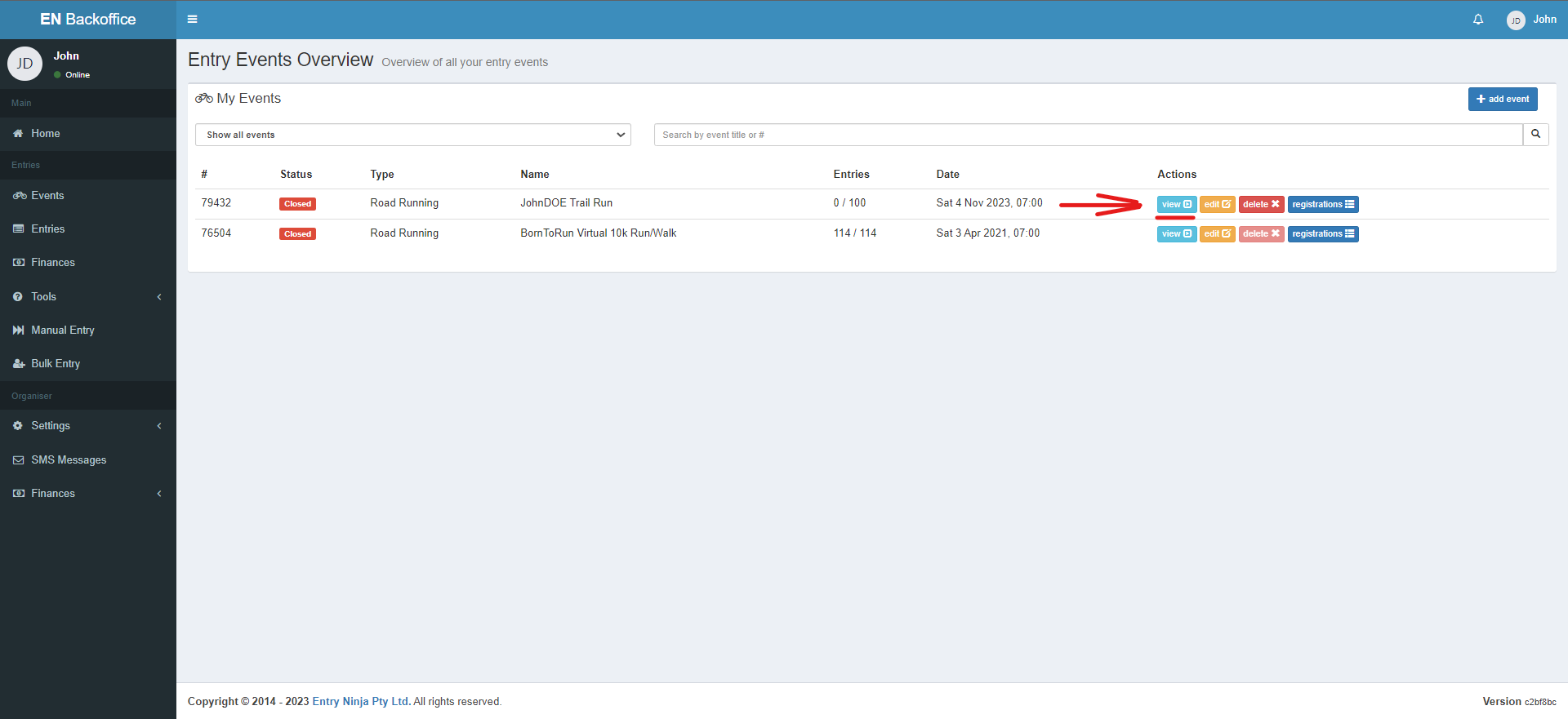
1. Log in to your Back Office.
2. Locate and access the event for which you want to set up a waiting list.
Step 2: Enable Waiting List
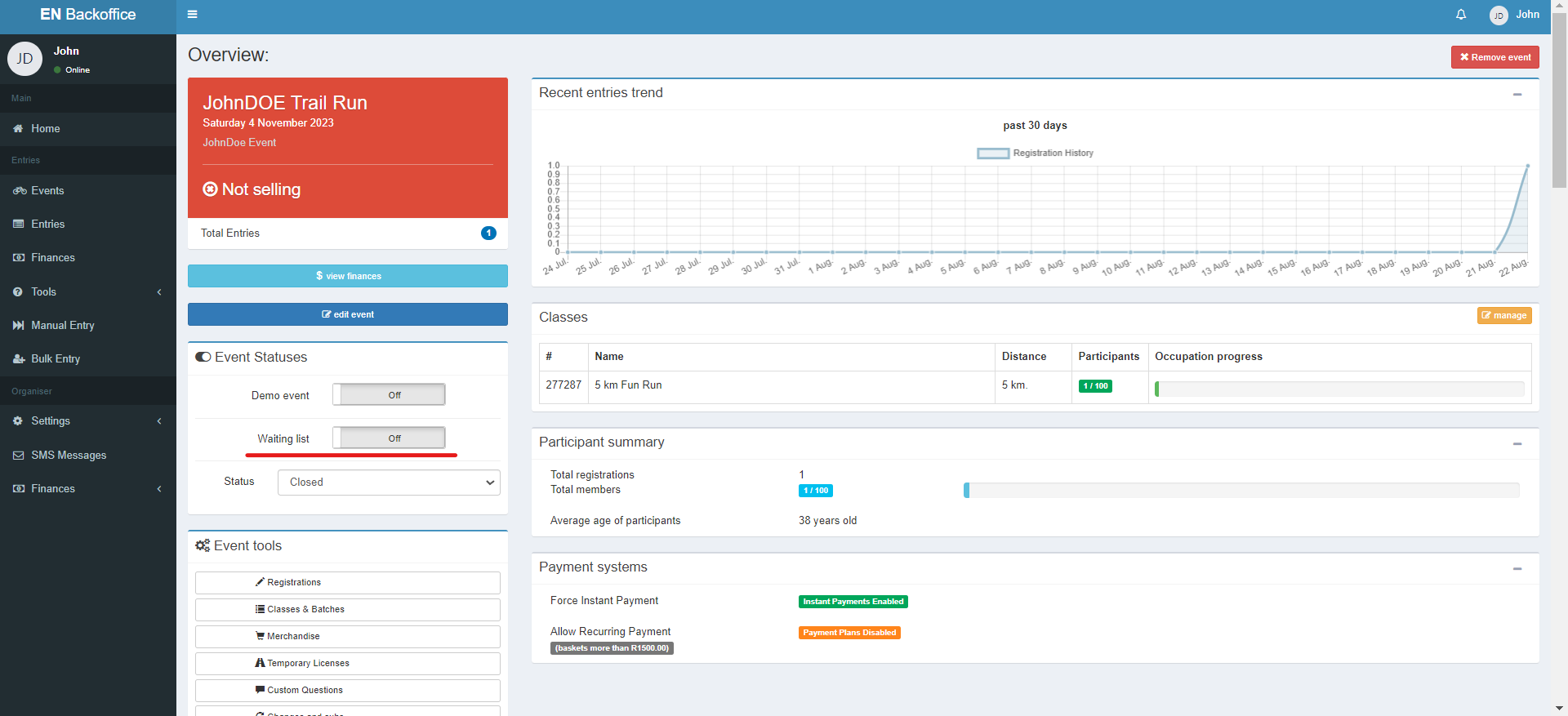
1. On the event "Overview" page, navigate to the "Event Status" section.
2. Enable the "Waiting list" option.
Step 3: Activation Trigger
1. The waiting list option will only be active when your event entries reach full capacity.
2. For instance, if your entry limit is set to 100 and you've received 100 entries, the 101st entry will automatically be placed in the waiting list as position number 1.